
How to Add Videos in Duda

November 4, 2022

Welcome to Duda Dojo, where we discuss all-things Duda!


Videos are one of the most compelling and captivating forms of media, making them potent tools to include on your website. In this tutorial, we explore how to do just that. Throughout the demo, we outline two primary methods of adding videos to your Duda website:

  • Embedding videos from Vimeo, YouTube, or DailyMotion via URL
  • Uploading videos directly to Duda


Let’s dive in!

Embedding Videos From Vimeo, YouTube, or DailyMotion via URL

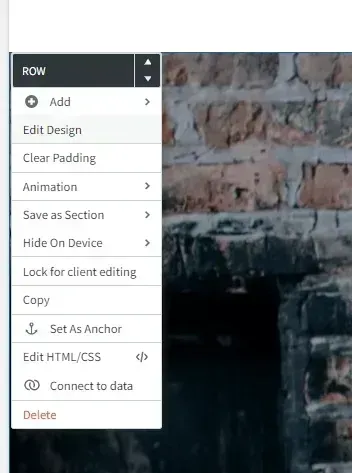
Menu for a “Row” in a page builder, with options like Edit Design, Copy, and Delete over a brick wall background

Duda allows website builders to embed videos within a widget or on a page background.


To embed a video in your page background:


1. Click on your row, and select Edit Design

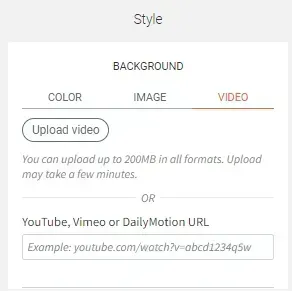
2.  Beneath Style, you can choose to add a solid color, image, or video to your page background.


3.  Select the video tab. 

Style background settings panel with Color, Image, and Video tabs, upload video button, and YouTube/Vimeo URL field
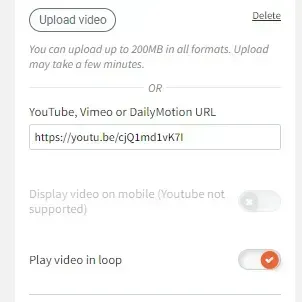
Video upload settings with YouTube URL field and toggles for mobile display and loop playback

4. Add your video URL. Below the link, toggle Play video in a loop, if desired.

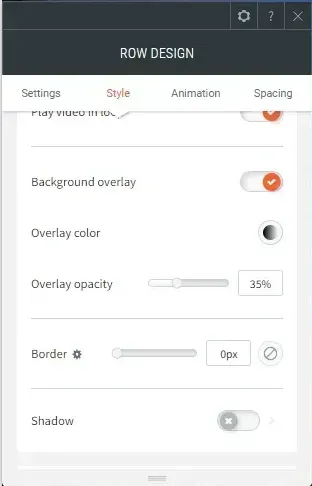
5. If desired, select a background overlay and adjust the color and opacity.

Row design settings panel with style options, overlay opacity slider, border, and shadow toggles

Next, we’ll cover embedding a video as a widget on the front end of your website.


 This video can be interacted with (play, pause, etc.) by your website visitors.

Website editor menu overlaying a web page with “About Us” text and a testimonial section.

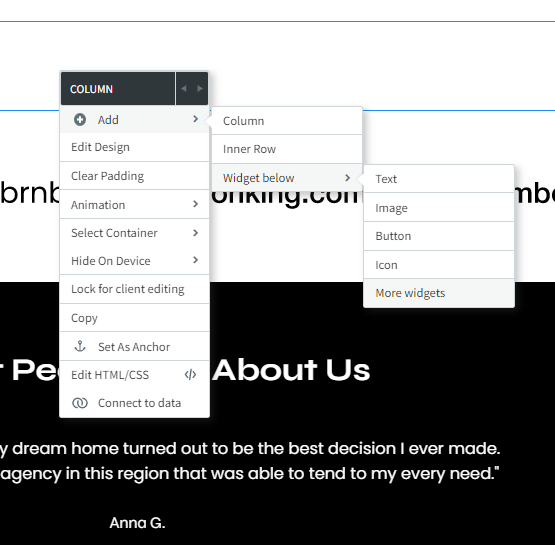
1. Right click on your empty column.


2. Hover over Add – Widget below – More widgets. Find and select the video widget.

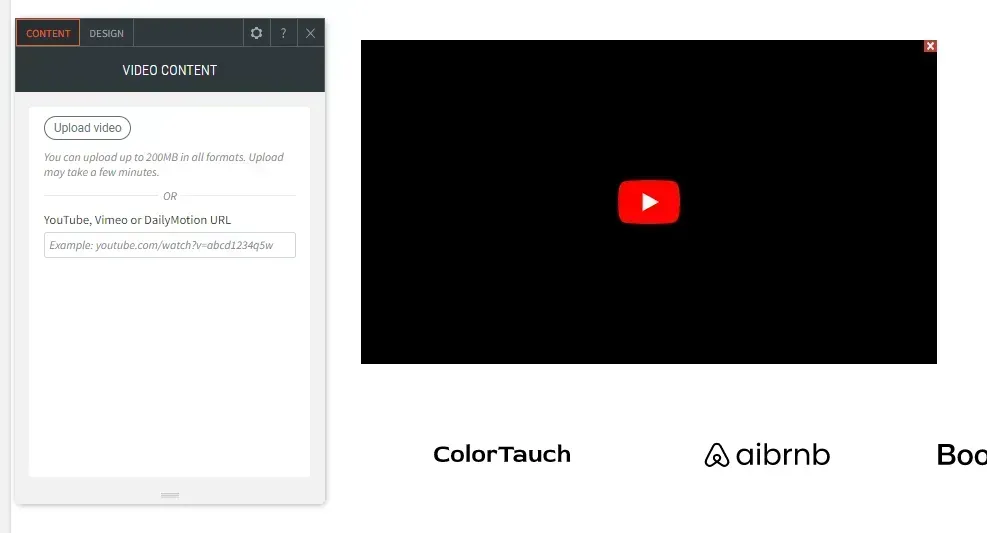
3. From here, add a YouTube, Vimeo, or DailyMotion URL to your widget.

Split-screen webpage with a small text panel on the left and a black video player with a red play button on the right.
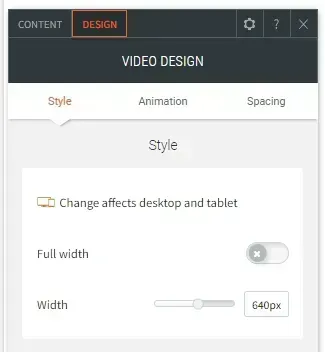
Video design settings panel with Style tab selected, showing full width toggle and width slider.

4. Within the Design tab of your video widget editor, you can change the width of your video or toggle Full width to display your video across the entire website page.

Uploading Videos Directly to Duda

In both examples above, you have the option to upload a video to your Duda website.


1. In your video widget, above the URL box, click the Upload video button. 

Video design settings panel with Style tab selected, showing full width toggle and width slider.
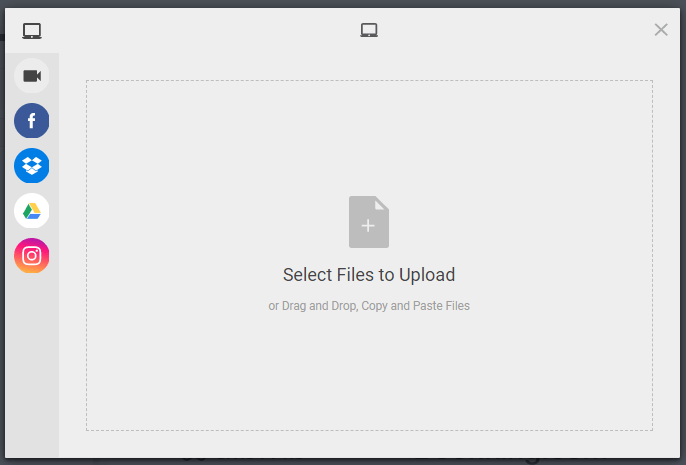
File upload window with a large drag-and-drop area and a left sidebar of social media icons.

2. From here, you can select a video you’ve already uploaded or click Upload to add a new video.


3. Select a file to upload from your computer. Depending on the size of the video, this can take anywhere from a couple of seconds to a couple minutes to upload. Duda allows you to upload videos up to 200 MB in size.


4. Once the video is compressed and optimized, it will be available to select.

Want More Duda Tutorials?

Did you enjoy this tutorial? For more like it, explore  our YouTube channel  or our  Resources page  to view past videos and stay updated on new videos. To request a Duda topic that you’d like to see us cover, give us a call at  331.228.9636  or complete our  online contact form . We look forward to hearing from you!
As part of our comprehensive approach to website optimization, RivalMind offers  SEO services tailored specifically for Duda , ensuring that your content not only looks impressive but also ranks prominently in search engine results, driving more organic traffic to your site.

Looking for more organic website traffic?


Welcome to RivalMind. Our purpose is to help your business thrive. We are a digital marketing agency that offers SEO, PPC, Web Design, Social Media and Video Solutions as tools to our clients for online business development and growth.


Contact us today to get started!

Blog Contact Form

Connect With Us:

Common SEO Questions banner with rising bar chart and upward arrow in teal and green
By Andrew Novak February 23, 2026
Marketers and business owners interested in visibility on search engines like Google should know the basics of these digital marketing strategies.
Woman using a laptop on a tan couch with the text “Search Has Evolved. Has Your SEO Strategy?”
By Andy Francis December 16, 2025
AI-driven tools now deliver instant answers, pulling from multiple sources and returning synthesized responses. Google itself is pushing more zero-click results. The first visible answer is often the final one users engage with.
Woman pointing beside text: “The Algorithm Isn’t Broken, Your Strategy Is” on a blue-teal background
By Jessica Goodrum November 11, 2025
Unlock consistent growth with a cross-channel marketing strategy that unifies campaigns, strengthens customer trust, and drives measurable results across every platform.
Show More →